
How to Repost Photos on Social Media Platforms
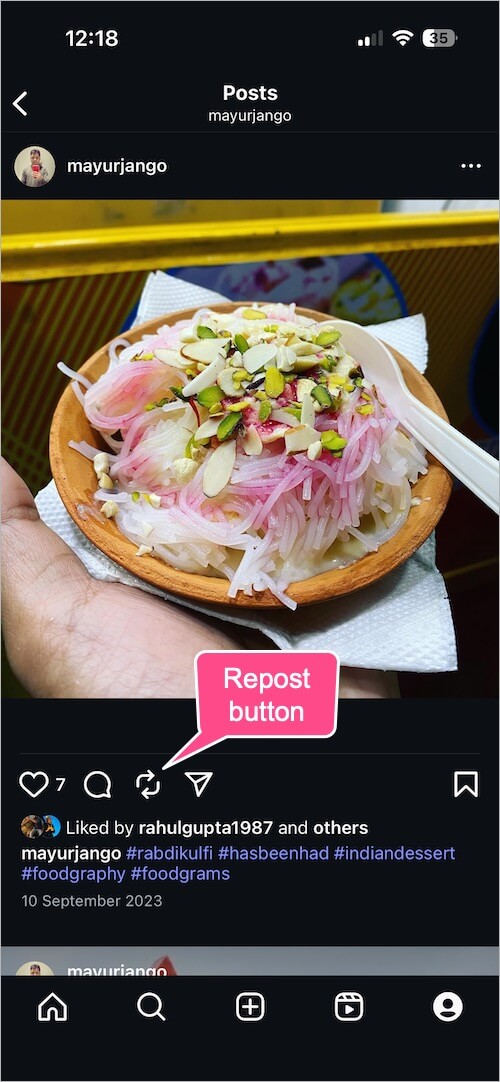
Reposting photos on social media platforms is an excellent way to share content you love and appreciate while engaging with your followers. Whether you are looking to share a stunning image you found on Instagram or a captivating post from a friend on Facebook, knowing how to effectively repost photos can enhance your social media presence. In this article, we will explore various methods to repost photos, provide insight into different platforms, and share useful tips along the way. For those specifically interested in Instagram, you can check out this how to repost photos on instagram resource.
Understanding Reposting
Reposting, in essence, is the act of sharing someone else’s content on your social media profile. It helps in promoting creativity and allowing others’ work to reach a wider audience. However, it is crucial to do this ethically—giving credit to the original creator is not only respectful but often required by social media platforms’ guidelines.
Reposting on Instagram
Instagram does not have a native repost option, meaning that users cannot simply click a button to share another user’s post. Instead, users have a few different methods to repost content:
Using Third-Party Apps
Many third-party apps are designed specifically to assist users in reposting Instagram photos. Some popular choices include:
- Repost for Instagram: This app allows you to share photos and videos while automatically attributing credit to the original creator.
- Regrammer: Another app that lets you repost content easily, maintaining the caption of the original post if you wish to do so.
- Instagram’s Own Saved Feature: While not a repost tool, saving posts to your collections allows you to easily find and share posts later, particularly through stories.
Manual Reposting
If you prefer not to use third-party apps, you can always take a screenshot of the image you wish to repost. However, be aware that this method can result in lower image quality. After taking a screenshot, you can crop the image accordingly and upload it to your feed. Be sure to tag the original creator in your post and mention them in the caption.
Facebook Reposts
Reposting on Facebook is much more straightforward than on Instagram. The platform offers a “Share” button under every post.
Using the Share Button
If you want to repost a photo or post, simply click the “Share” button and choose whether to share it on your timeline, in a group, or as a private message. You can also add your own commentary or thoughts before sharing.
Sharing via External Links
You also have the option to copy the URL of the post and share it elsewhere, but this method often does not include the photo itself, only the link. Make sure to give proper attribution if you go this route.
Reposting on Twitter
Reposting, or retweeting, on Twitter is a simple process. If you find a tweet with an image you’d like to share, simply click the retweet button located below the tweet. You have the option to add your own comment before retweeting or just share it as is.
Quote Tweets
Moreover, Twitter offers a ‘Quote Tweet’ option that lets you add your thoughts while sharing the original tweet with the image.

Best Practices When Reposting
When you repost someone else’s content, follow these best practices:
- Always Give Credit: Mention the original creator and tag them whenever possible.
- Maintain Quality: Ensure the photo or video quality is high and aligned with your feed’s aesthetic.
- Respect Copyright: Make sure you’re allowed to repost the content, especially if it’s from a business or a professional account.
Conclusion
Reposting photos on social media can be an enjoyable way to share your favorite content while supporting other creators. By using third-party apps for Instagram, utilizing built-in sharing features on Facebook and Twitter, and adhering to best practices, you can effectively curate a feed that reflects your interests while respecting the original creators. Happy reposting!