
How to Delete Your Instagram Account: A Complete Guide
Instagram has become one of the most popular social media platforms, allowing users to share photos, videos, and stories. However, there might come a time when you decide to take a break from social media or permanently delete your account for various reasons—privacy concerns, digital detox needs, or simply because you’re no longer enjoying the platform. In this article, we’ll guide you through the steps to delete your Instagram account, either temporarily or permanently, ensuring you understand the differences and considerations before doing so.
Why Delete Your Instagram Account?
Before diving into the deletion process, it’s important to reflect on the reasons you might choose to delete your Instagram account:
- Privacy Concerns: With increasing awareness about data privacy, many users are worried about how their information is used.
- Digital Detox: Taking a break from social media can help improve mental health and well-being.
- Time Management: Reducing screen time by deleting accounts that consume too much of your attention.
- Less Enjoyment: If the platform no longer brings you joy or feels necessary in your life.
Types of Deletion: Temporary vs. Permanent
Before you take the plunge, it’s crucial to understand the difference between temporarily disabling your account and permanently deleting it.
Temporarily Disabling Your Account
Disabling your account is a good option if you want to take a break but may return later. When you disable your account, your profile, photos, comments, and likes will be hidden until you reactivate your account by logging back in.
Permanently Deleting Your Account
Permanently deleting your account is irreversible. Once deleted, your profile, photos, videos, comments, likes, and followers will be permanently removed, and you will not be able to reactivate your account.
How to Temporarily Disable Your Instagram Account
If you have decided to take a break from Instagram, follow these steps to temporarily disable your account:
- Log into Instagram: Open the Instagram app or website and log in to your account.
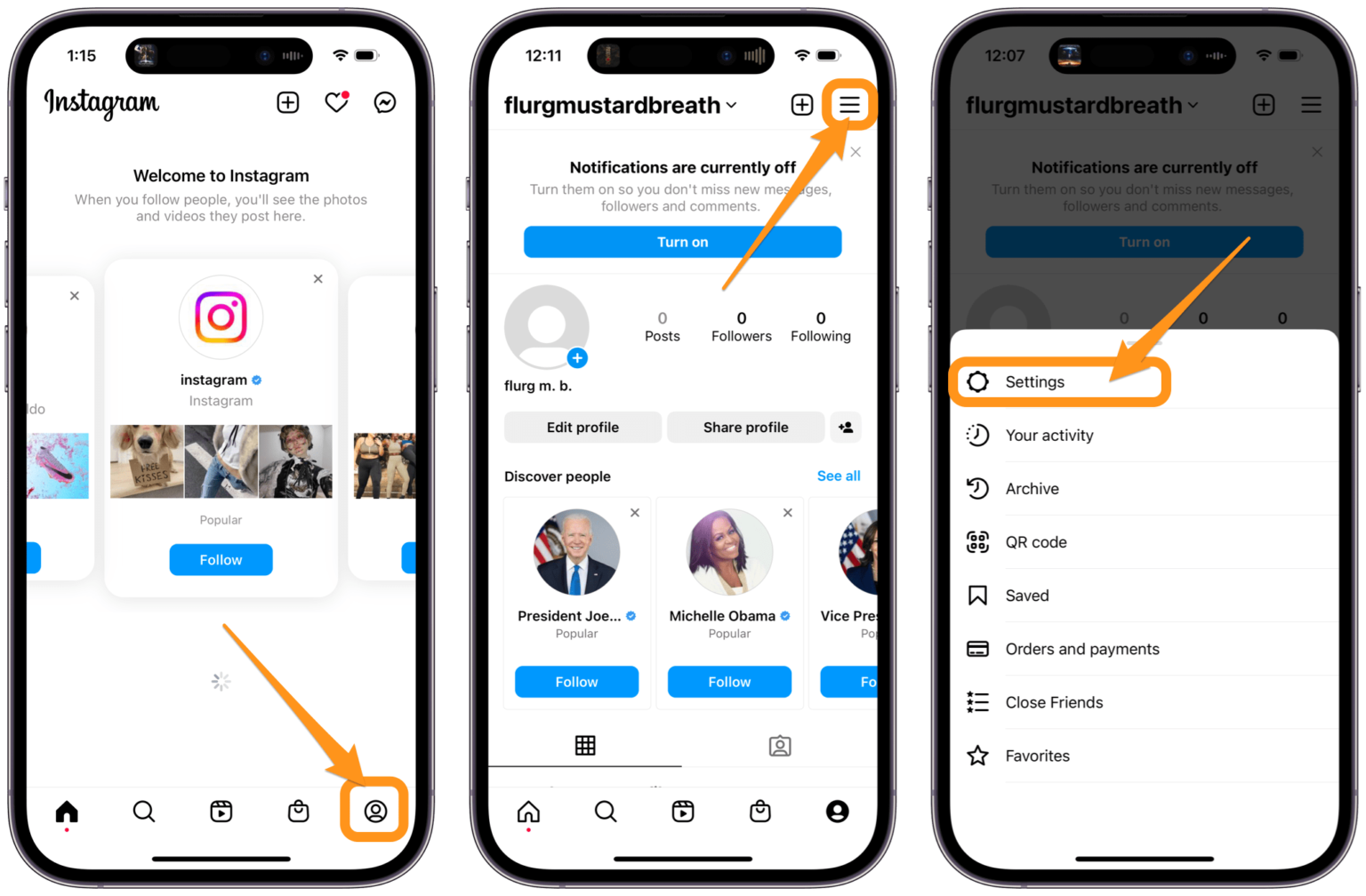
- Navigate to Your Profile: Tap on your profile icon at the bottom right corner.
- Go to Settings: Click on the three lines (hamburger menu) in the upper-right corner, then select ‘Settings.’
- Privacy and Security: Click on ‘Privacy’ and then ‘Account Privacy.’
- Temporarily Disable Account: Scroll down and click on ‘Temporarily disable my account.’ Choose a reason for disabling it from the dropdown menu.
- Re-enter Your Password: Enter your password again for confirmation.
- Confirm Disabling: Click on the ‘Temporarily Disable Account’ button to complete the process.
How to Permanently Delete Your Instagram Account
If you are sure that you want to delete your Instagram account permanently, adhere to the following steps:
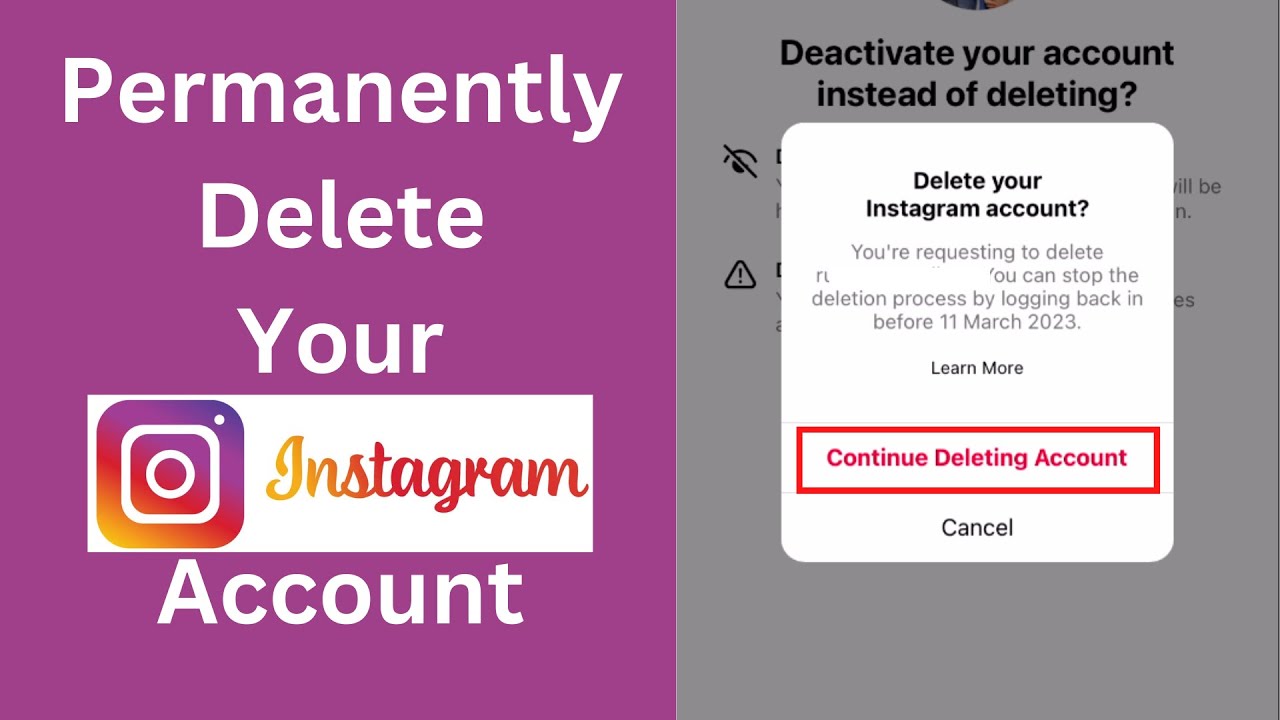
- Visit the Account Deletion Page: Go to the Instagram account deletion page. You cannot delete your account from the Instagram app, so use a web browser.
- Log into Your Account: If prompted, log in to your account that you wish to delete.
- Select a Reason for Deletion: From the dropdown menu, select a reason for deleting your account.
- Re-enter Your Password: Instagram will require you to re-enter your password for security purposes.
- Delete Your Account: Click on the button that says ‘Permanently delete my account’.
Considerations Before Deleting Your Account
Before you go ahead with the deletion process, keep the following considerations in mind:
- Backup Your Data: If you have photos, messages, or other data on your account, consider downloading a copy of your data before deletion.
- Understanding Repercussions: Remember that deleting your account means you will lose everything associated with it. Make sure to weigh the pros and cons.
- Temporary vs. Permanent: If you are uncertain, consider disabling your account temporarily instead of a permanent deletion.
Conclusion
Whether you choose to temporarily disable your Instagram account or delete it permanently, the decision should be made based on your personal needs and circumstances. Social media can play a significant role in our lives, and taking control over your online presence is essential. If you choose to say goodbye to Instagram, follow the above steps carefully to ensure your data is handled in the manner you desire.
For more information on understanding the complete deletion process, you may want to check this comprehensive guide: How to delete an Instagram business account https://crazyfb.shop/en/page/kak-udalit-biznes-akkaunt-instagram.